Stop sending AI chat messages by accident. This Chrome extension prevents accidental sends in ChatGPT, Claude, Google Gemini, Grok, and Microsoft Copilot. Press Enter for a new line, then send intentionally with Ctrl + Enter or the send button.
Why this extension exists
 Sometimes you’re deep into an AI conversation. You’re writing a long prompt, crafting complex instructions, or thinking through an idea as you type. Then you hit Enter by accident. Message sent. Half-finished thought. Wasted context.
It happened to me too many times. So, I made this Chrome extension Disable Enter in ChatGPT.
It’s for anyone who:
- Writes long AI prompts
- Uses ChatGPT, Claude, Gemini, Grok, or Copilot for serious work
- Thinks while typing
- Uses AI chat like a scratchpad
- Accidentally hits Enter and regrets it
What it does
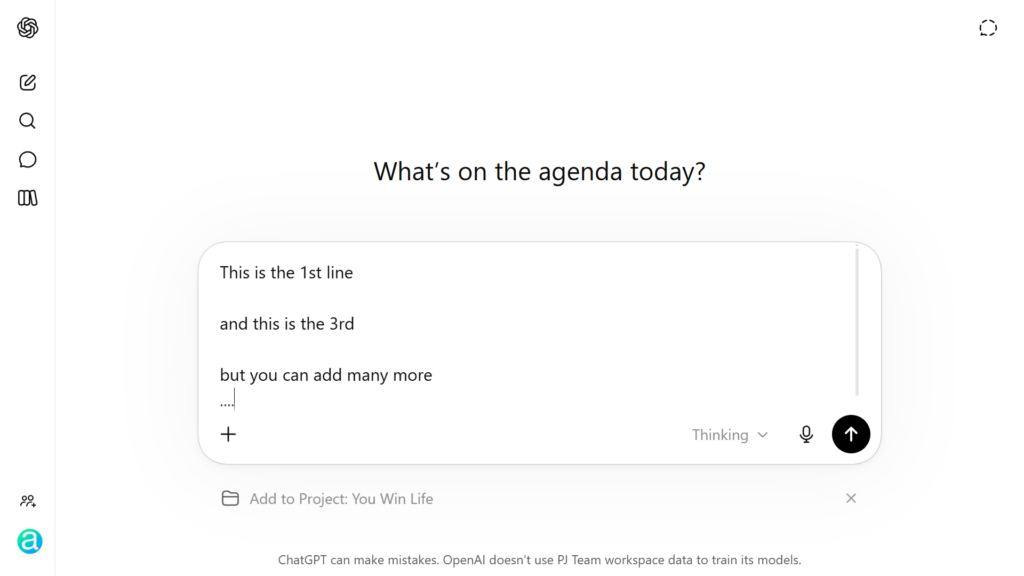
This extension changes how the Enter key behaves in supported AI chat apps:
- Pressing Enter inserts a new line
- Shift + Enter also inserts a new line
- Ctrl + Enter sends your message
- You can still send by clicking the Send button manually
This keeps your thoughts together and stops AI chat tools from answering before your prompt is ready.
How it works
The extension runs locally in your browser on supported AI chat sites. When you press Enter, it:
- Stops the default submit behavior
- Inserts a newline in the prompt box
- Keeps your prompt intact while you write
- Uses Ctrl + Enter as the intentional send shortcut
Behind the scenes, this is done by a content script injected only into the supported AI chat pages.
Add the extension
You can install the extension from the Chrome Web Store in Google Chrome or another Chromium-based browser:
- Microsoft Edge
- Brave
- Opera
- Vivaldi
The extension runs automatically on:
chatgpt.comgemini.google.comclaude.aicopilot.microsoft.comgrok.com
- Lightweight
- Private, with no data collection
- Current Chrome Web Store version: 1.11
- Updated: April 14, 2026
Tech details
Manifest version: 3
Chrome Web Store version: 1.11
Offered by: Sevenline
Author: Priit Kallas, Amperly AI
This extension was created to solve one small but annoying problem: accidental sends while writing AI prompts.
The source code listens for Enter key events in supported chat input boxes. Plain Enter becomes a newline. Ctrl + Enter becomes the deliberate send action.
Files:
manifest.json: defines the extension, supported sites, and script loadingcontent.js: handles keyboard behavior in supported AI chat apps- Code on GitHub
Support
This extension is simple on purpose. It changes one behavior and does it locally in your browser.
For support, email me: [email protected]
Extra tip
To count how many tokens you’ve used in ChatGPT, check out my other extension: ChatGPT Token Counter.
Stay in control of your AI prompts. No more accidental sends.